Ask visitors what they want to accomplish before explaining the product. Their answer gives them a personal frame for understanding everything that follows.
People usually understand the job they need done better than they understand a broad product category or its architecture. Starting with that job makes a complex platform feel relevant before the visitor has learned its vocabulary.
What this recipe controls
The communication move: begin with the visitor's intended outcome, respond meaningfully to it, and use the rest of the page to prove that the product can support that job.
What stays flexible
The page layout, section order, visual treatment, or component styling. Those remain implementation choices, and the selected Design Kit remains the visual source of truth.
Source evidence
See the idea in real product pages
These are dated observations, not endorsements or claims about conversion performance. Each example contributes a different part of the transferable idea.
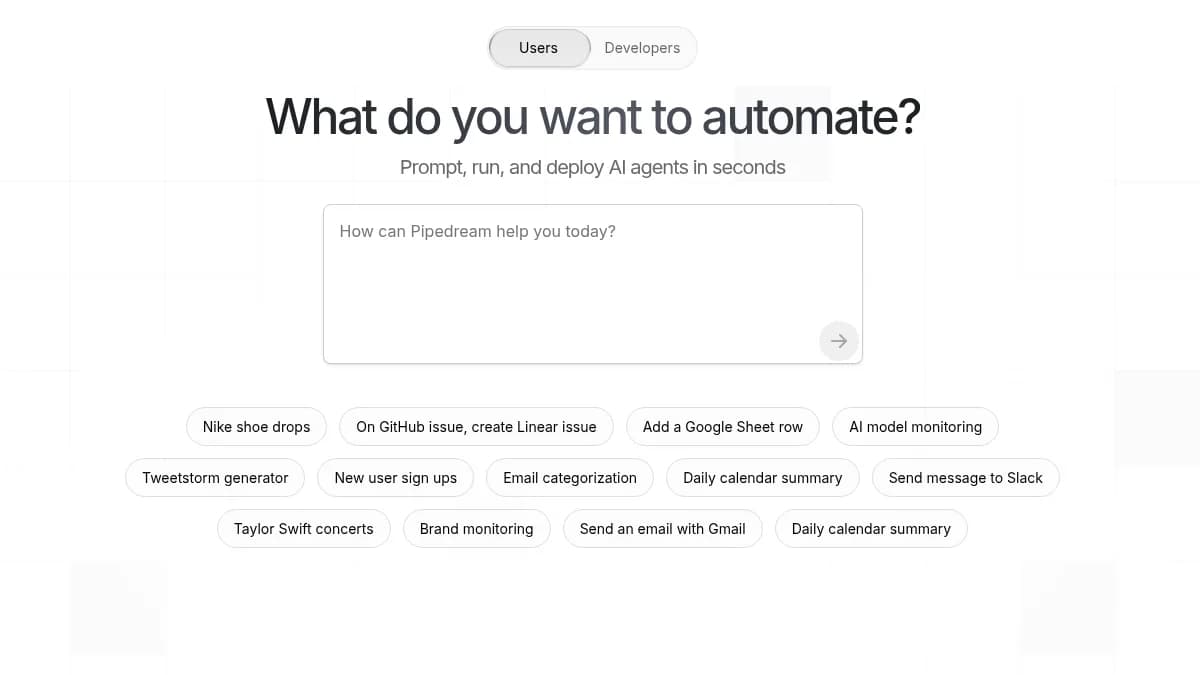
Pipedream opens with "What do you want to automate?", a large composer, and example jobs. The visitor starts with a recognizable task before learning how the platform works.
What it contributes
Start with the job the visitor recognizes, not the platform architecture they have not learned yet.
How it differs
Pipedream uses automation examples and connected systems as proof. It does not depend on producing a visual artifact immediately.
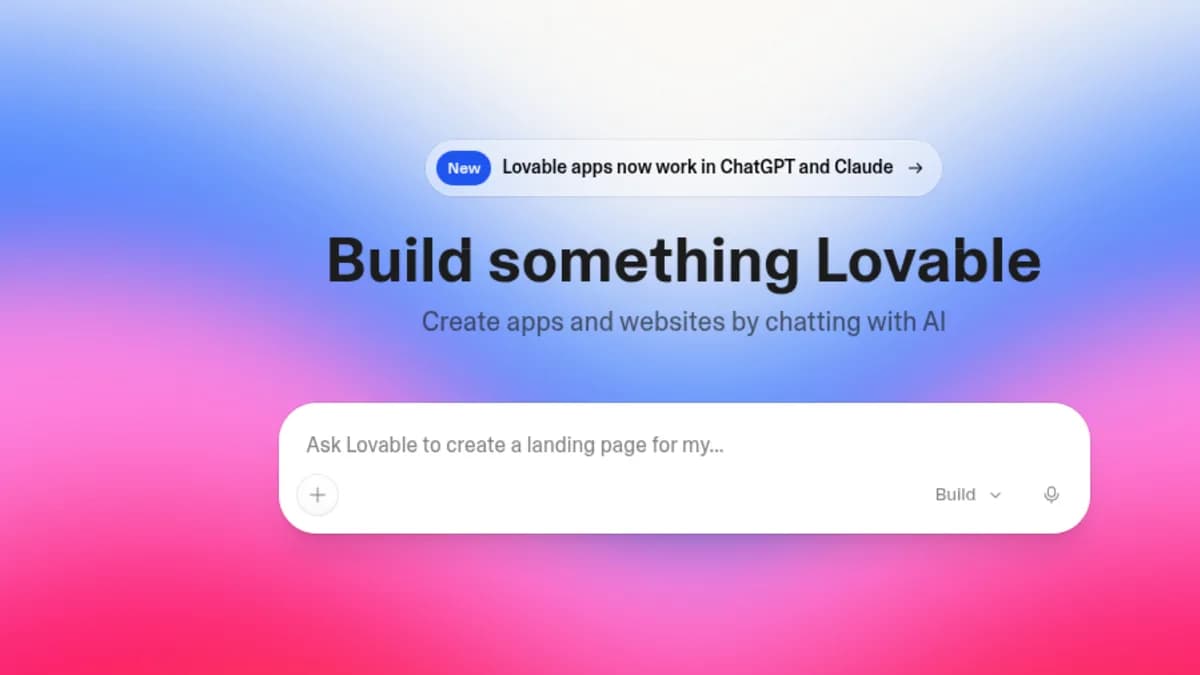
Lovable asks for the app or website the visitor has in mind. The composer reads like the start of a conversation, not a request to study the product first.
What it contributes
Use the visitor's idea as the start of making something, not as a lead form.
How it differs
Lovable puts conversational creation at the center and uses finished product examples to make the promise believable.
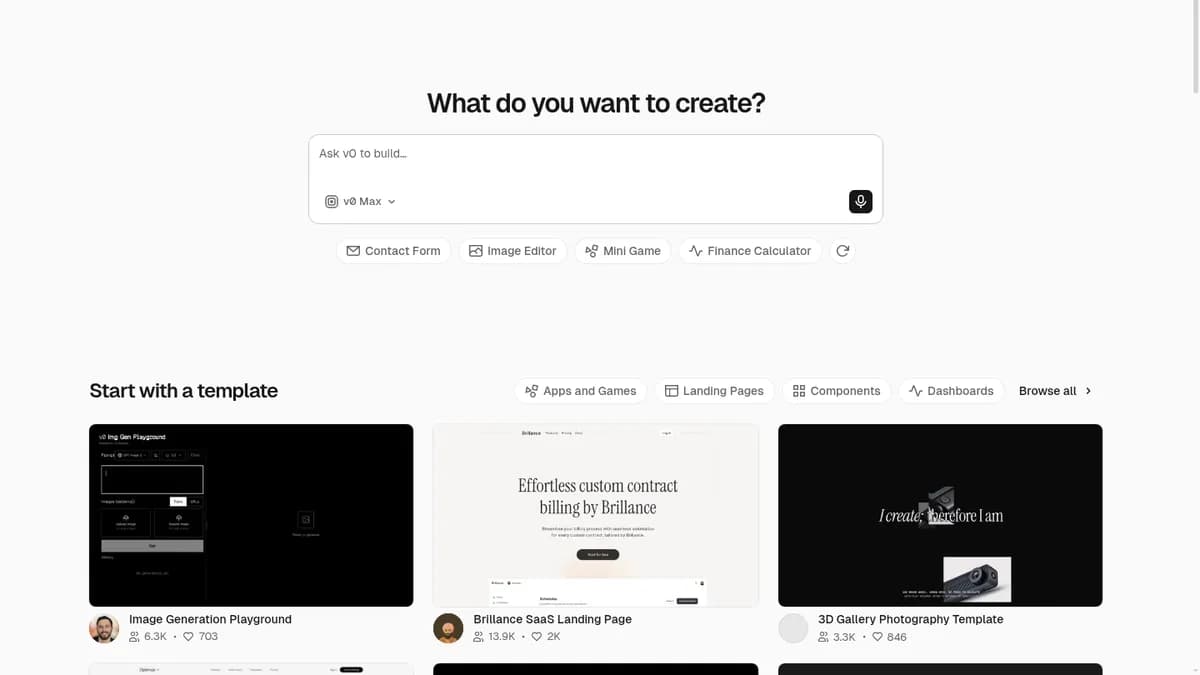
v0 asks "What do you want to create?" and follows the composer with example tasks and templates. Visitors can start from their own words or recognize a useful starting point.
What it contributes
Pair an open question with concrete starting points for visitors who are not ready to write a prompt.
How it differs
v0 keeps both paths visible: describe something new or begin with a template.
Replit
Page observed
Replit asks what the visitor wants to build and connects that request to examples of working applications.
What it contributes
Connect the stated goal to a concrete result so the product can demonstrate itself.
How it differs
Replit takes the idea beyond intent capture. A working application can become the main proof.
What the examples share
All four products begin with something the visitor already understands: the workflow, application, site, or interface they want. Product machinery comes later, once that intent gives the explanation a useful frame.
Adapt it
Four possible expressions, not a required layout
The recipe is the communication decision. These are different ways an agent could express it after understanding the product and the selected Design Kit.
Open intent field
Ask one focused question in the first screen and respond with the most relevant product path or result.
Guided starting points
Offer a few genuinely different example jobs for visitors who recognize their need but do not know how to phrase it.
Outcome chooser
Let visitors select the result they need, then adapt the explanation and demonstration to that choice.
Limited working entry
Expose a safe, bounded version of the product's first action when it can return something meaningful without setup.
Use this idea when
The product supports several different jobs and is difficult to explain as one feature list.
Visitors know the outcome they want even if they do not know which product capability provides it.
The product can respond meaningfully to the stated intent through a result, relevant path, or credible demonstration.
Avoid it when
Most visitors have the same obvious task, so asking them to restate it only creates friction.
The question is decorative and nothing changes after the visitor answers it.
Risk, eligibility, migration, or connected customer data must be understood before the product can respond honestly.
Implementation guidance
What the agent needs before it builds
These are inputs, constraints, and observable checks. They are not a page sequence.
Resolve from the product
The two to five jobs visitors most often arrive wanting to complete.
What the product can change, recommend, demonstrate, or produce after learning that job.
The words customers use for those jobs before they know the product vocabulary.
The evidence that can connect each job to a credible product capability.
Any limits that must be clear before the visitor shares information or expects a result.
Keep it honest
The visitor's answer must change the response, recommendation, demonstration, or path that follows.
Use example jobs only when they represent genuinely different needs.
Explain product machinery after the visitor has a reason to care about it.
Do not ask for sensitive or connected-customer information before the page explains why it is needed.
Keep the selected Design Kit's visual, interaction, accessibility, and brand rules intact.
Check the result
A first-time visitor can say what the opening question will help them do.
Two meaningfully different answers lead to meaningfully different responses or next steps.
Visitors who cannot phrase a request can still recognize a relevant starting point.
The page connects the stated job to product evidence without requiring the visitor to understand the architecture first.
Removing the question would make the page less relevant, not merely less interactive.
Use it with a Design Kit
Hand the idea to an agent without replacing the kit
The kit still controls the visual system. This handoff adds the communication idea and the condition that makes it honest.
Use the selected Design Kit as the visual and interaction source of truth. Introduce the product by asking what the visitor wants to accomplish, then adapt the explanation, examples, or product evidence to that job. Do not begin with platform architecture or a broad feature list. Use this idea only when the product can respond meaningfully to the visitor's answer.
Copy this after selecting a Design Kit and resolving the product-specific facts.


 Captured